

If you’re in the market for a new streaming device, chances are you want to improve your home entertainment experience. Maybe you’ve been relying on your phone or tablet for binge-watch sessions, or perhaps your TV’s built-in operating system just isn’t cutting it anymore. Streaming dongles and set-top boxes are ubiquitous at this point, but sussing out the differences between them can be challenging. Plus, they’re not the only gadgets that can deliver your latest Netflix obsession to your TV screen. Let us break down all of the streaming device options you have today and give you our picks for the best you can buy.
Who needs a streaming device?
It’s worth pointing out that if you only use a couple of streaming services (say, Netflix and Hulu), you might not need a standalone streaming device. Most modern televisions ship with a basic selection of apps that usually include the most popular streaming services. Some TVs and soundbars run on built-in Roku or Fire TV operating systems, which offer a robust selection of apps without the need for a separate device.
But if your TV is on the older side, adding a streaming stick is obviously much cheaper than shelling out for a new television. Also, a dedicated streaming device typically has access to a lot more streaming services and apps, while content is often presented more intuitively. Some devices also offer better search features, including voice control. Cord cutters in particular will benefit from this sort of streaming hardware, as live TV services like Sling and Hulu Live aren’t always available in basic TV interfaces.
How to pick a streaming device
The most important things to keep in mind when choosing a streaming device are platform, price and what you already have in your home. Currently, the most popular streaming platforms are Roku, Amazon’s Fire TV, Apple TV and Google TV (which is an overlay on top of Android TV). All of them offer a similar selection of streaming services, with the primary differences being the user interface. Roku, for example, has a basic grid layout, while Fire TV and Google TV emphasize personalized recommendations.
The prices for streaming devices typically start at around $30, and can go all the way up to $200 (like the 64GB Apple TV 4K, for example). Sticks or dongles are generally more affordable, while set-top boxes tend to be pricier. The main reason to opt for a box over a dongle is if you need Ethernet connectivity. Some models also have additional features like Ethernet ports and faster wireless connections. (Roku’s set-top boxes, for example, have Dolby Vision, while its sticks don’t.) Another benefit of a set-top box is that they’re faster than older TV processors and are easier to upgrade over time.
There are some feature differences, too. Fire TV uses Alexa for voice commands, for example, while Google TV uses Google Assistant. In fact, when it comes to devices from Amazon, Google and Apple, it’s generally best to pick one that belongs in a previously chosen ecosystem. So if you’re already a committed iTunes user, an Apple TV would make more sense than the Fire TV. This isn’t a hard-and-fast rule, of course: If you depend more on streaming services than buying or renting shows, the ecosystem question isn’t quite as relevant. We’ll get more into the details of each system later in this guide.
Below are some recommendations for the best streaming sticks and other budget-friendly options. We also included suggestions for set-top boxes and devices geared toward gamers.
Engadget picks
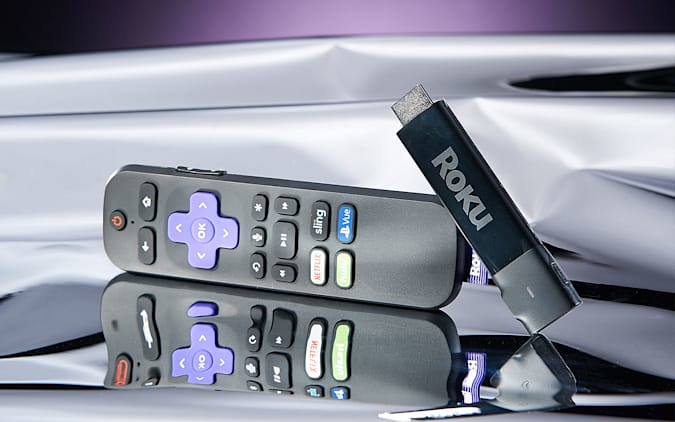
The best streaming stick: Roku Streaming Stick 4K

Will Lipman for Engadget
The Roku Streaming Stick 4K, plus earlier iterations like the Streaming Stick+, has long been an Engadget favorite, and for good reason: It packs a lot of features into a small and affordable package. It has a straightforward user interface along with the widest selection of streaming options. All you need to do to set it up is plug it into your TV’s HDMI input and attach the power cable to your TV’s USB port. After that, you can finish the rest of the installation process via the TV interface and Roku remote.
As mentioned, Roku has a large selection of content. According to the company, you can choose to stream from more than 500,000 movies and TV episodes. Another useful feature is Roku’s universal search, which can find shows across a variety of platforms without prioritizing one over another. In contrast, Amazon’s streaming platform prioritizes search results from its own Prime video service.
The Roku Streaming Stick 4K also supports AirPlay 2, so it’s great for those who want to stream from Macs or iOS devices. Additionally, the Roku Streaming Stick 4K supports 4K, HDR streaming and Dolby Vision.
We especially like Roku’s private-listening feature that lets you listen to shows using headphones, which is useful if you don’t want to disturb other members of your household. You can do this via the Roku app, which is available on both iOS and Android. The app also works as an alternative to the physical remote control. This is especially handy for entering login and password information, which is a lot easier to do with a smartphone keyboard than having to hunt and peck using the remote.
In addition to the remote, the Roku Streaming Stick 4K also responds to voice commands, which you can use to search for your favorite shows, adjust the volume or enable closed captioning.
If you want an upgraded remote, consider upgrading to the Roku Streaming Stick 4K+. It has all the features of the Streaming Stick 4K, except it comes with the rechargeable Roku Voice Remote Pro as well. You can find your lost remote by saying “Hey Roku, where’s my remote?” and it has a built-in 3.5mm headphone jack so you can use the private listening feature without the app. It is almost $20 more than the Streaming Stick 4K, however, so unless you really need that fancy remote, we recommend the Streaming Stick 4K instead.
Buy Roku Streaming Stick 4K at Amazon – $50
Also great: Chromecast with Google TV
Engadget
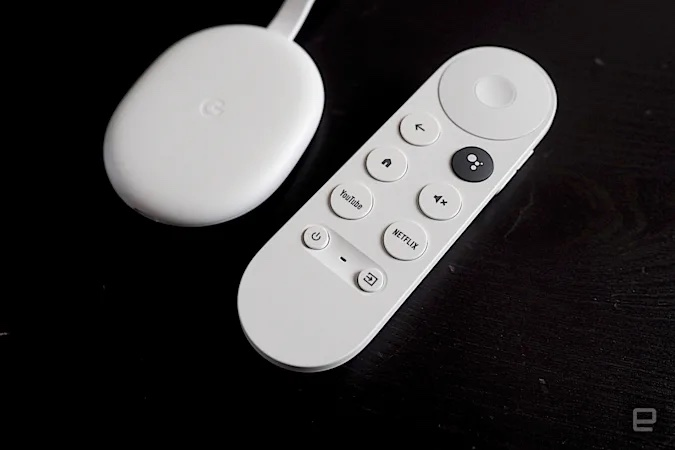
For years, Google’s Chromecast was a dongle without a remote. It was simply used to stream shows from your phone or laptop to the TV. The new Chromecast with Google TV, however, is completely different. Not only does it now have a dedicated remote control, but it ushers in a brand new menu interface plus Google Assistant smarts. While the Roku might be our overall pick, the Chromecast is best for those who like a more personalized interface and robust voice controls.
The highlight of the new Chromecast is Google TV, which is actually a revamped version of Android TV. The home screen is personalized based on your watching habits. There’s a rotating carousel of trending shows, curated top picks as well as category headers like “Continue watching” and “Trending on Google.” We especially appreciate the “Continue Watching” row as it offers a quick shortcut to catch up on programming you were — you guessed it — already watching.
There are also algorithm-generated recommendations such as “Shows about aliens” or “Shows about murder.” What’s nice is that most of the suggested shows are from services you’re already subscribed to. If you’re a YouTube TV subscriber, you’ll appreciate the Live TV tab, which acts as a channel guide for the service. Google has said, however, that the tab should eventually work with other live TV services such as Sling or Hulu Live.
We also like that Google TV gives a lot of information about a specific show or movie, such as the Rotten Tomatoes rating and all of the different ways you can watch it. You can also add it to your watchlist right from the show page, regardless of what streaming service it’s on. Renting or buying the show can only be done from the Google Play Movies & TV store, however.
One of our favorite features of the new Chromecast is Google Assistant integration. You can make general queries, like asking for a five-day weather forecast. Best of all, contextual queries like “Find movies with Bill Murray” and “Show me true crime documentaries” all turn up highly relevant results. You can also control the TV entirely with voice commands, including powering it on and off and adjusting the volume.
The Chromecast with Google TV supports 4K HDR as well as Dolby Vision. However, it doesn’t support AirPlay 2 so it’s not quite as compatible with Macs and iOS devices. It also doesn’t currently carry Apple TV+ or iTunes videos. We should also note that unlike other streaming sticks, the latest Chromecast can’t be powered by a TV’s USB port; you’ll have to use the included 7.5-watt power adapter instead.
Buy Chromecast with Google TV at Amazon – $50
The best budget streaming device: Amazon Fire TV Stick Lite
Amazon
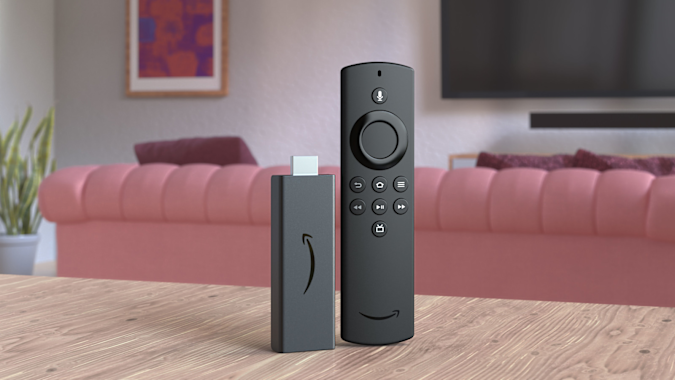
If price is of the utmost importance and you don’t need 4K, Amazon’s Fire TV Stick Lite is a decent alternative. At $30, it’s one of the cheapest streaming sticks on the market (it’s also frequently discounted, too). It supports FHD streaming with HDR and, just like its higher-end siblings, comes with an Alexa voice remote.
One of the reasons this is considered “Lite” is that this particular Fire TV Stick can’t control your TV; you still have to use your television remote to power it on and off or to adjust its volume. That’s not that big a deal, especially if it helps save you a few bucks. In comparison, the standard Fire TV Stick typically retails for $40, while the Fire TV Stick 4K costs $50.
Amazon’s Fire TV supports nearly all of the popular streaming services, including Netflix, Hulu, HBO Max, YouTube, YouTube TV and Hulu, among others. The Live page features Twitch out of the box. While you can’t use Alexa to control the TV, the Fire TV Stick Lite does let you use Alexa to search for shows and ask general questions like the weather forecast or the latest scores for your favorite sports team.
Despite its low price, the Fire TV Stick Lite is a decent streaming dongle. It comes with the updated Fire TV interface that adds features such as user profiles, a new main menu navigation bar with show recommendations, plus a scrolling list of your favorite streaming apps.
The layout isn’t quite as intuitive as Google TV’s and is more complicated than Roku’s, but it’s still easy enough to figure out. That said, the interface tends to prioritize Amazon Prime Video content, and there are a lot more ads than on other streaming platforms. It’s not the best streaming device out there, but it’s a good, inexpensive choice if you want to update an older TV set while spending as little as possible.
For a little more money, you could also upgrade to either the Fire TV Stick 4K or the Fire TV Stick 4K Max. Both feature 4K, HDR, Dolby Vision and Dolby Atmos, but the Max has WiFi 6 support and a faster processor.
Buy Fire TV Stick Lite at Amazon – $30
Also great: Roku Express
Roku
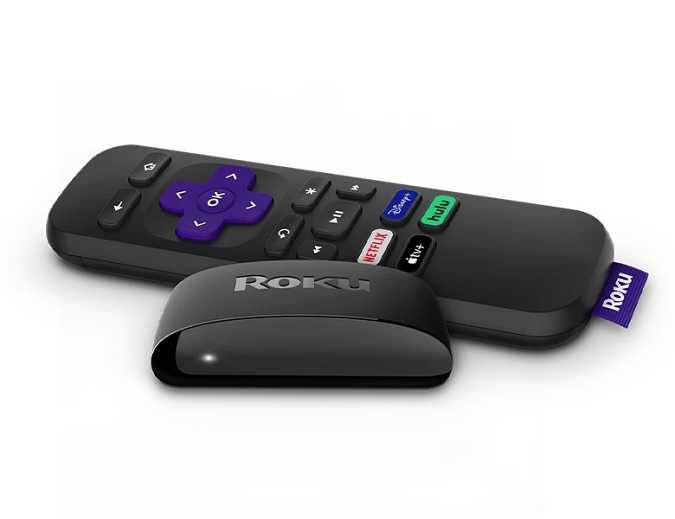
The Roku Express has the same user interface as the Streaming Stick+, but it’s housed in a compact set-top box instead. It doesn’t support 4K or HDR and the remote control lacks a voice command button. But if all you want is a capable HD streaming device, the Express fits the bill. If you insist on having 4K, however, consider the Roku Express 4K+, which retails for $40. It’s very similar to the Express, except it carries support for 4K, HDR and AirPlay, and it comes with a voice remote as well. That could well make it worth the extra money.
Buy Roku Express at Amazon – $30
The best set-top box: Roku Ultra
Roku
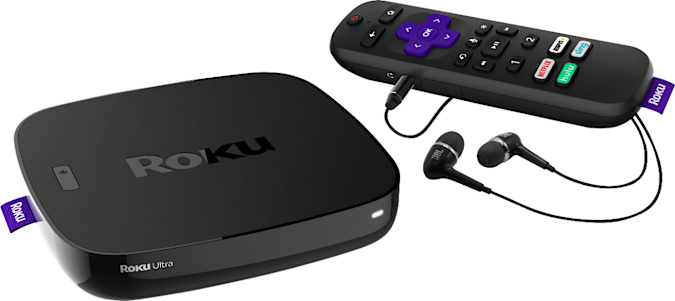
The Roku Ultra has the same features of the Streaming Stick+ and then some. There’s a wide selection of content, a simple user interface and support for 4K HDR streaming, AirPlay2 and voice commands. On top of that, the Ultra adds Dolby Vision support along with HDR 10+, USB connections, a microSD slot for external media, and Ethernet connectivity.
Like the Streaming Stick 4K+, the Ultra comes with Roku’s Voice Remote Pro. The remote also features a couple of programmable shortcut keys that you can map to specific commands, like “Launch YouTube” or “Play classical music.” Best of all, the Ultra features a remote finder in case you lose it in between your couch cushions. The Ultra is definitely the most capable Roku device on the market, but you’ll have to pay quite a bit more for it.
Buy Roku Ultra at Amazon – $100
The best premium device: Apple TV 4K
Apple
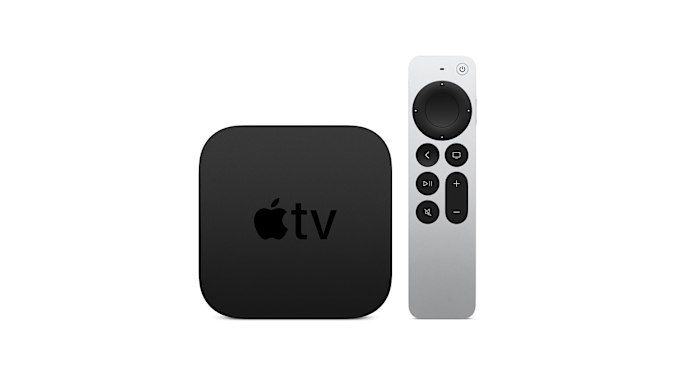
For those who want a slightly higher-end option and have a lot of Apple devices, the Apple TV 4K could be worth a splurge. It can stream in 4K HDR and Dolby Vision, plus it supports AirPlay 2 for streaming from Mac and iOS devices. The tvOS platform has an attractive and clean user interface that’s also easy to use. There’s also a “One Home Screen” feature that lets you sync apps and their layout across multiple Apple TVs, and you can use Siri to search for your favorite shows.
As you might expect, the Apple TV is also the only set-top box that works with the entire Apple ecosystem. This means that you can use the Apple TV to buy and rent movies from iTunes, access music and podcasts, play games from Apple Arcade and run apps like Fitness+, Apple’s line of workout classes.
iPhone owners in particular are likely to benefit from owning an Apple TV. You can hold your handset up to the box during setup to transfer all of your settings and enter passwords directly through the Remote app, which is itself easily accessible via iOS’s control center. Plus, if you spring for the new 2021 model, you’ll get the improved Siri remote and new features like high-frame rate playback.
Buy Apple TV 4K at Amazon – $180
The best for gamers: NVIDIA Shield TV Pro
NVIDIA
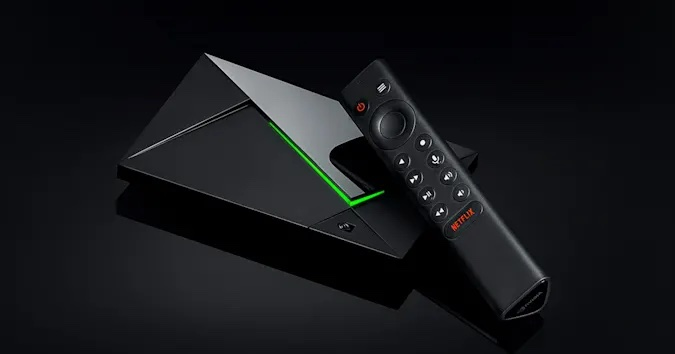
For those who want an all-in-one device that lets you stream movies, run a PLEX media server and play games, consider NVIDIA’s Shield TV Pro. It currently runs Android TV, which is a little outdated at this point, but there’s a possibility that it could be upgraded to Google TV in the future.
Thanks to its capable TegraX1+ processor, the Shield TV Pro can stream in native 4K and it can also upscale 720p and 1080p video to 4K with the company’s AI neural network. It also supports Dolby Vision and HDR10, has 3GB of RAM, 16GB of storage and two USB-C ports. Additionally, there’s a gigabit Ethernet port, an HDMI socket and a microSD card slot. Since it runs on Android, you can use it to play most games from the Google Play Store.
The main reason you’d choose the NVIDIA Shield TV Pro over other machines is that it gives you access to NVIDIA’s GeForce Now cloud gaming service. As long as you have a relatively speedy internet connection, you can play top-tier PC games that are streamed online to your Shield TV Pro.
Buy NVIDIA Shield TV Pro at Amazon – $200
The best gaming console for streaming: Xbox Series X
Engadget
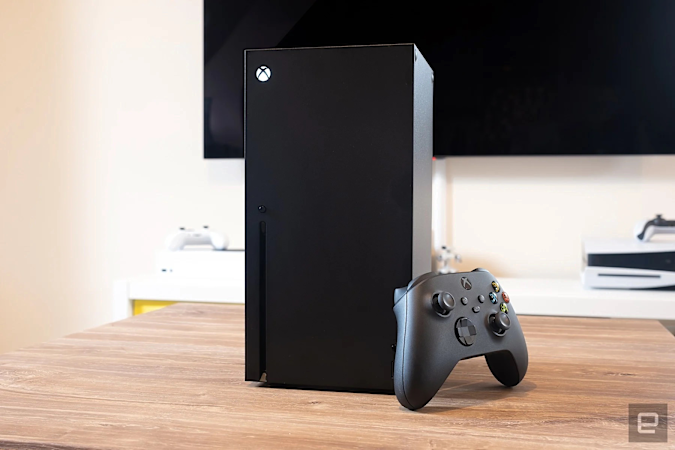
Even though both Sony’s PlayStation 5 and the Xbox Series X can stream video, it’s the Xbox that we think is the best gaming console for the job. It can play 4K Blu-Rays and supports all of the usual streaming video apps including Apple TV+ and Disney+. However, the PS5 can’t stream Disney+ in 4K or Dolby Atmos, which is disappointing if you ever want to watch The Mandalorian in all its cinematic glory.
Fortunately, that’s not the case with the Xbox Series X. On top of that, the Xbox Series X (and S) also support Dolby Vision for streaming video, which is especially great for people with newer TVs. Of course, the Xbox is also a pretty great gaming machine, and it offers access to Game Pass, Microsoft’s subscription service that has a large library of titles.
All products recommended by Engadget are selected by our editorial team, independent of our parent company. Some of our stories include affiliate links. If you buy something through one of these links, we may earn an affiliate commission.
